A guide on how to sign an online contract for internal staff

A lecturer's guide to signing internal faculty contracts online

When generating a new contract for an internal faculty lecturer, the system will send a notification to the lecturer's email for signing and approving the contract. Below is an example of the email received:

Below is the order of operations for viewing and approving an online contract for internal staff :

Example of the received email

1.Upon receiving the email, you must log in to the contract system by logging into the Lecturer Information Station using your username and password.
Below is a link to a lecturer information station here
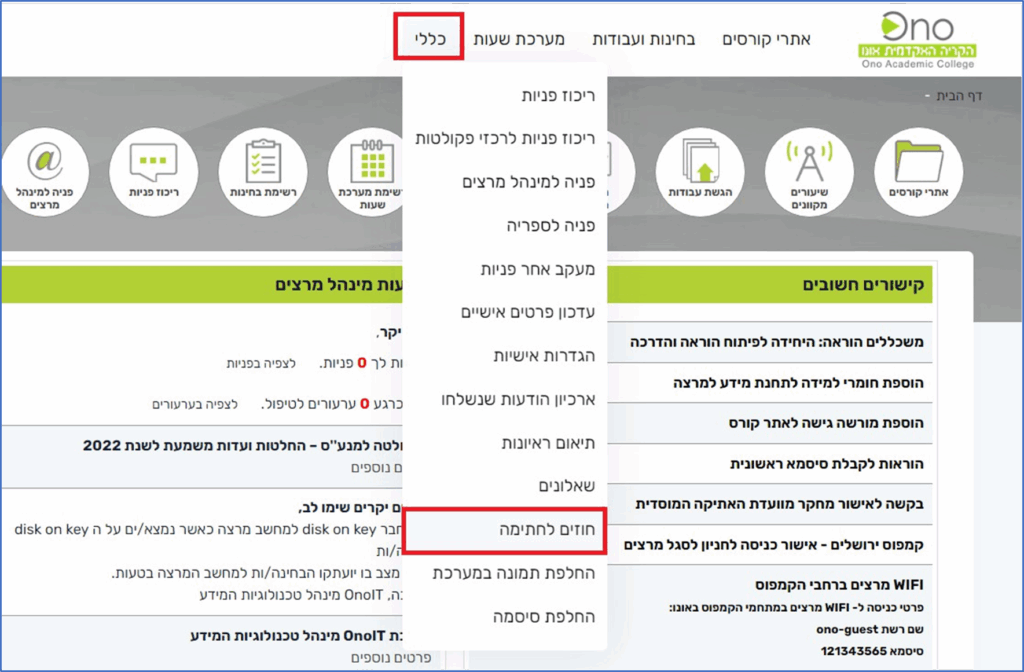
2.Once you have logged in, click on 'General' > Contracts for Signature in the menu.

Contracts for signing

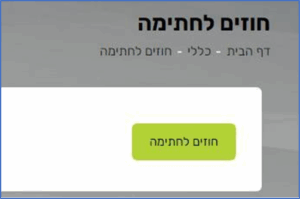
  On the next screen, click the 'Contracts for signature' button.

3. On the next screen, click the 'Contracts for signature' button.

4. On the resulting screen, click on ' Internal Staff Contracts ' in the menu on the right.
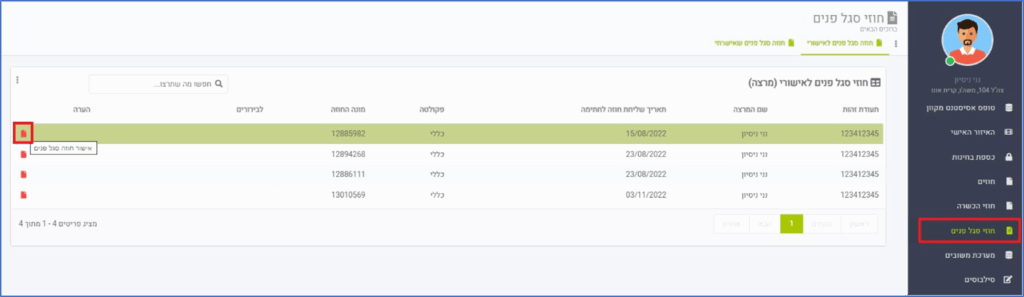
On the resulting screen, click on 'Internal Staff Contracts' in the menu on the right.

5. To view and approve the contract, click on the 'Approve Internal Staff Contract' icon.

6.  The resulting screen displays the contract for approval.
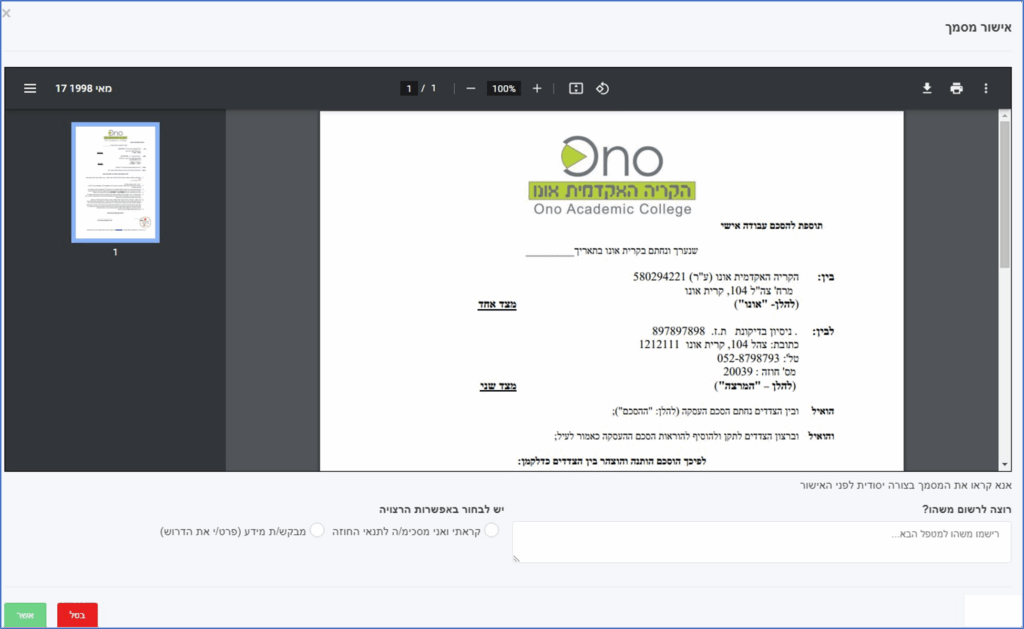
The resulting screen displays the contract for approval. 

7. To confirm the contract, select the option 'I have read and agree to the terms of the contract'. To finish, click the button
'which.'
8. If you are requesting additional information about the contract, select the option 'Requesting information (specify what is required)'.
and write a verbal explanation. Finally, click the 'Confirm' button.
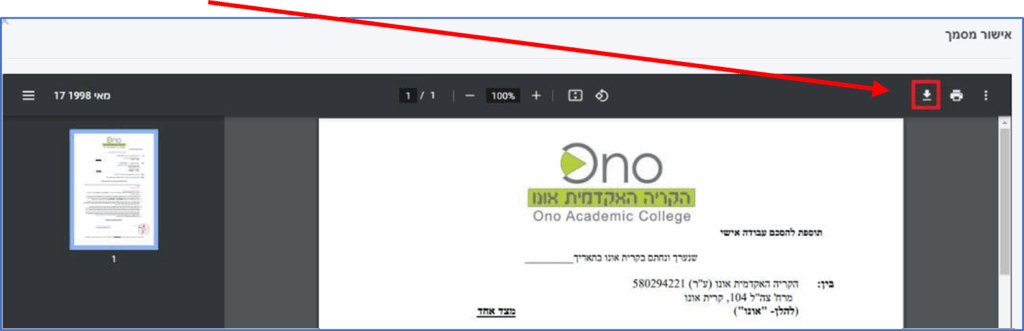
You can download the contract to your PC by clicking on the 'Download' icon.

You can download the contract to your PC by clicking on the 'Download' icon.

Navigation Menu

Tax Authority systems in Israel are a group of systems; the transition to cloud-based systems in Israel is designed to improve the service.

The Tax Authority systems include the following main systems: Income Tax, Property Tax, VAT, Customs and Collection.
The systems provide services in various areas of reforms, institutions that are not subject to VAT and also information for assessors, representatives and the public.

The emphasis on accessibility in the Tax Authority systems is reflected both in the external design and in the internal design.

The internal design focuses on building and managing accessible digital forms for handling VAT and Customs, as well as for handling business in Income Tax, VAT and Customs.

The authorities of the judiciary in Israel are divided between the Supreme Court. The Supreme Court serves as an appellate instance for judgments of the District Courts in Israel, and as a High Court of Justice. When sitting as a High Court of Justice, it hears appeals against the decisions of the District Courts, the Magistrates Courts and the Religious Courts. There are three types of appeals: the High Court of Justice, District Courts and Magistrate Courts.

The powers of the judiciary are influenced by the changes in the powers of the investigative authorities and the prosecuting authorities, in order to allow scrutiny and expansion on the history of the judiciary and its influence in the State of Israel.