
This guide describes the procedure for obtaining an academic email address from Ono Academic College.
Please note that the academic email address you receive will end with:
@best.ono.ac.il
Here are the steps for connecting to the information system and obtaining an academic email address:
- Please visit the Ono Academic College website at www.ono.ac.il.
- In the top bar, click on 'Personal Area' and select 'Faculty'.

- Upon clicking 'Staff', the following screen appears:
Please click on the 'System Login' button.
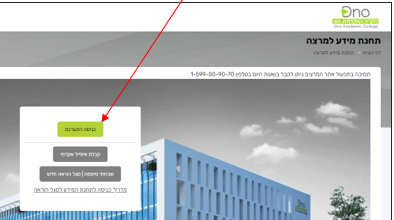
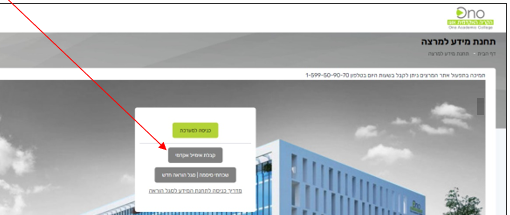
- If you do not know your academic email address, please click the 'Receive Academic Email' button.
- On the screen that appears, you need to enter:
- ID number
- Check the box – I am not a robot
- Finally, click the 'Execute' button to receive an academic email address.
The academic email address is sent to the personal email as provided during the registration stage.

After receiving an academic email address from Ono Academic College, you can now log in using this identification.
Here are the steps to log in to the information system using your Ono Academic College academic email address:
- Please visit the Ono Academic College website at ono.ac.il.
- In the top bar, click on 'Personal Area' and select 'Faculty'.
- When clicking on 'Faculty', you should click the 'System Login' button.
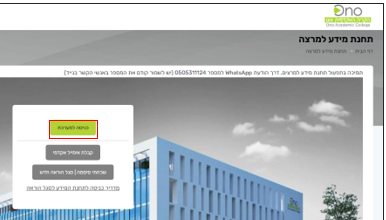
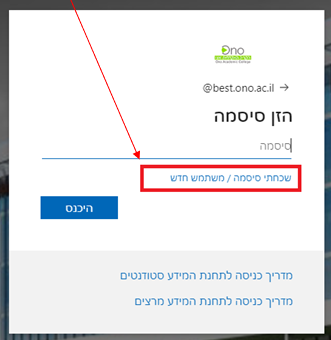
- On the screen that appears, you need to enter the full academic email address you received
Please click the 'Next' button.
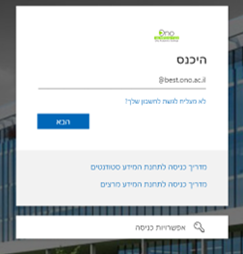
- If you do not have a password, please click the 'Forgot Password / New User' link.
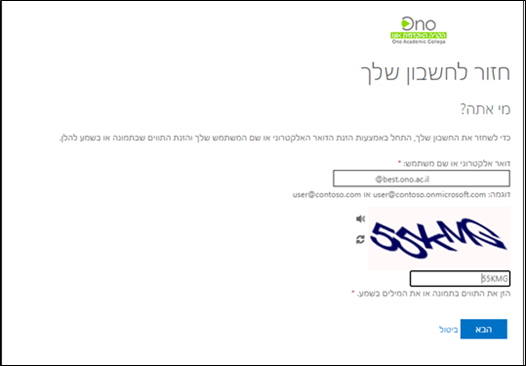
- On the screen that appears, you need to enter the identifying details
To continue, please click the 'Next' button.
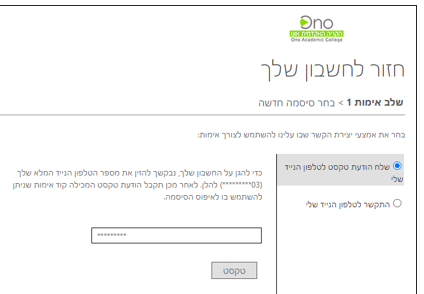
- On the screen that appears, you need to enter your mobile number:
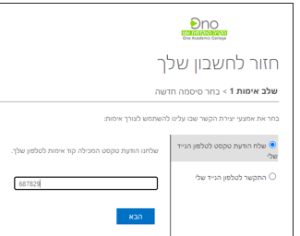
- On the next screen, you need to enter the code received via SMS on your mobile phone and click 'Next'
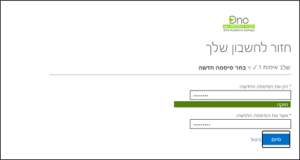
- On the next screen, you need to enter a new password composed as follows:
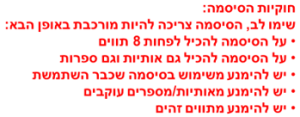
After choosing the password, click the 'Finish>' button.
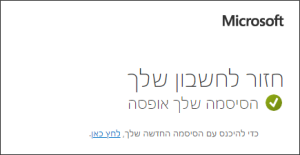
- On the screen that appears, you need to click the link: Click here to log in with the new password.
If you are experiencing login issues, please contact the OnoIT Technical Support Center.
Contact us via WhatsApp message only by clicking this link.
Or call 050-5311124 (please save the number to your mobile contacts first)